



















How to Use Temporary Email: The 30-Second Practical Guide
Open a free temp inbox in seconds, paste the address into any signup form, grab the verification code, and walk away. Real services, real flows, no signup.
Generate your email- Instant
- No sign-up
- Free
- Anonymous
You're about to type your real email into a form you don't fully trust, and you already know what happens next: months of marketing emails, password resets you didn't ask for, and an inbox you can't ever fully clean. A temporary email is the way out, not a hack, but a clean separation between the inbox relationships you actually want and the ones you don't.
The whole flow takes about thirty seconds. Here's exactly how to use it, where it works first try, and the few places it won't.
Why people reach for a temporary email
In rough order of frequency, three reasons bring people to a service like temporary-email.org:
- Signup spam fatigue. A site demands an email before showing anything useful. You don't want a Reddit account on your work email or a Substack list attached to the address your bank uses.
- OTP-only flows. The site only needs to send you a one-time code to verify you're a human. There's no real account being created, no relationship to maintain.
- Cautious checkouts. A new merchant, a free trial you might cancel, a marketplace seller you haven't bought from before. You want the receipt, not the marketing.
For each of these, the move is the same. Generate a temp address, use it for the verification step, and let the address expire on its own.
The thirty-second flow
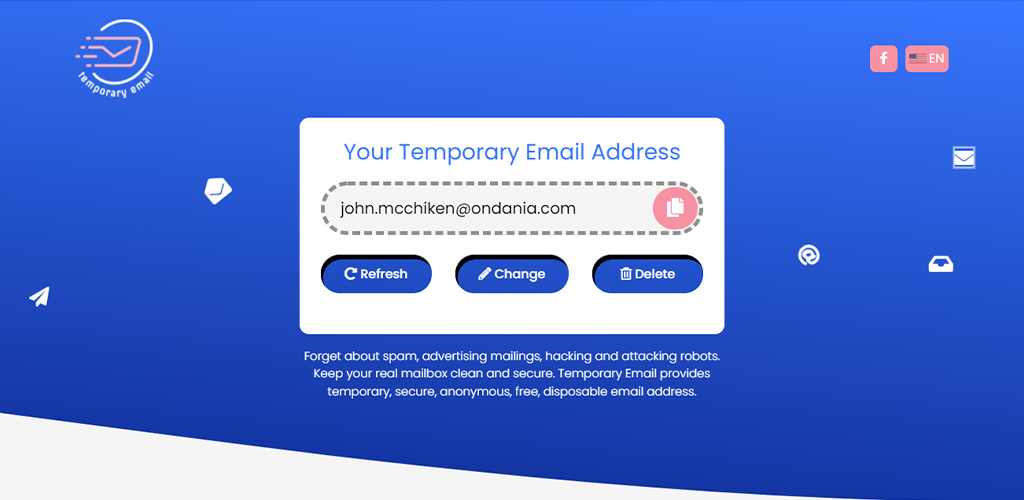
- Open temporary-email.org on whatever device you're already using. An address generates instantly, something like
[email protected]. You don't need to bookmark it. It's not yours, it's just yours for now. - Copy the address. The page has a one-click copy button next to the address bar. On mobile, long-press also works.
- Paste it into the signup or verification form on whichever site you're trying to use.
- Submit the form. Most services send the verification code within five to fifteen seconds. Slower services (some banks, some crypto exchanges) can take up to a minute.
- Switch back to the temp inbox tab. The new message appears at the top of the list automatically, no refresh needed. Click it to read the code. Most providers put the digits right in the subject line so you can grab them without opening.
- Type the code into the original form. You're done. Close the temp inbox tab. The address self-deletes after a few days along with every message it received.
That's the whole thing. No account on our side either, you're not building a relationship with the temp service, you're using a tool and walking away.
Where it works first try, and where it doesn't
For most of the hundred or so signups someone touches in a typical month, temp mail works on the first attempt. Reddit, Spotify, Substack, Medium, ChatGPT, almost every newsletter, every "claim your free trial" gate, every comments section that asks for an email, all of them accept a temp address without complaint.
Two categories of service consistently break the pattern, and it's worth knowing about them upfront so you don't waste time:
Dating apps and a handful of communication platforms. Tinder, Bumble, Hinge, Discord, and Slack workspaces with email verification all maintain blocklists of disposable-email domains. They block because they have real catfishing or fake-account problems and the cost of a few false positives is acceptable to them. If a service rejects your temp address with a generic "please use a real email" message, this is why. There's nothing wrong with the temp address, they just refuse to send to public temp domains.
Banks, brokerages, and identity-tied services. Anything where the service has a legal obligation to maintain a stable channel of contact with you. A few-day inbox is exactly the wrong shape for that. Don't use a temp address for bank signups, brokerage accounts, government portals, or anything you'd want to recover later. The whole point of temp mail is that the relationship ends, that's exactly what these services need to avoid.
For the cases where temp mail isn't appropriate, a privacy-respecting alias service like SimpleLogin or Apple's Hide My Email forwards mail to your real inbox while presenting a different address to the service. It's not disposable in the same way temp mail is, but it protects your real address from leaks and lets you cut off any one sender without changing your primary email.
Custom address vs. random, when to bother
By default we generate a random address. That works for almost everything, the random local-part is part of what makes the address disposable. But there are two cases where a custom address pays off:
- Multi-step verification flows that bounce you out of the inbox tab. A custom address you've memorized lets you reopen the same inbox if you accidentally close the tab during a long flow. The random address would already be gone.
- Filtered emails. Some services send the OTP to
noreply@…instead of to your address. A recognizable custom address (like[email protected]) makes it easier to scan if you're juggling multiple flows at once.
For everyone else, take the random one. It's the path of least friction.
Mobile and desktop, same flow, slightly different surface
The flow above works identically on phone and laptop. Two differences worth knowing about:
On mobile, the "copy address" button is a tap target instead of a click. Long-press the address itself if the button doesn't appear because of a layout shift. The inbox auto-refreshes the same way, but if your phone goes to sleep mid-flow, the tab may pause polling, pull-to-refresh wakes it up.
On desktop, the inbox stays live as long as the tab is open. If you switch tabs, modern browsers throttle the refresh rate but messages still arrive. The fastest pattern is to keep the temp inbox in a second window next to the form you're filling out.
The rest of the experience, generating, copying, deleting, is the same in any of the 21 languages we support. The interface translates; the underlying flow doesn't change.
What to do when the address expires
Temporary addresses expire after a few days. There's no recovery, once the address is gone, every message it received is gone too. This is a feature, not a bug, but it means you should treat the address as receive-only for ephemeral purposes.
If you used the temp address for an account you decide later you actually want to keep, log in to that account before the address expires and change the registered email to a real one through the account's own settings. Most services let you do this without a second verification. After the address expires, you'd be locked out unless the service has a backup recovery method.
Frequently asked questions
Can I send an email from a temporary address?
No. Temp addresses are receive-only by design, that's what makes them safe to share publicly. If you need to send mail anonymously, an alias service like SimpleLogin or AnonAddy lets you both send and receive while masking your real address.
How long does a temporary address last?
A few days, usually around five. The address and every message it ever received are deleted together when the timer expires. There's no way to extend the lifetime of an address — generate a fresh one if you need a longer-lived inbox.
Will services like Gmail, Apple, or Microsoft accept a temp mail address?
Yes, those providers don't care what address you sign up with — they only check that the verification code goes to a working inbox, and a temp inbox is a working inbox. The services that block disposable email are end services like Discord or Tinder, not the email providers themselves.
Is using a temporary email legal?
Yes, in every jurisdiction we're aware of. Temp mail is a privacy tool — it's the digital equivalent of using a P.O. box for a piece of mail you don't want delivered to your house. The legality question only gets interesting if you use it to violate a service's terms (like creating multiple accounts to abuse a free trial), and that's a terms-of-service problem, not a temp-mail problem.
Can the website I'm signing up for see that my email is disposable?
It can guess. Most temp-mail services share a finite pool of public domains, so a service that wants to detect disposable addresses just checks your domain against a public blocklist. They can't see your IP through the email itself, and they can't link the temp address back to your real one.
Can I use the same temp address twice?
Yes, as long as the address is still alive. You can sign up for as many services as you want with the same temp address, and they'll all deliver to the same inbox. Once the address expires, every signup tied to it goes orphaned at once.
Where this fits in your inbox strategy
Temp mail isn't a replacement for your real email — it's a layer in front of it. The model that works long-term: a real email for things you want to stay reachable for (work, banking, anyone you'd give a phone number to), aliases for things you want to selectively cut off later (newsletters, vendor accounts), and temp mail for the throwaway stuff you'll never want to hear from again. Open a free temp inbox in a new tab the next time a site demands an email for a thirty-second task — that's exactly what this category is for.